
All employers who meet WGEA’s Relevant employer definition must register with WGEA before lodging their first Gender Equality Report (Report). Once registered, employers are automatically enrolled in future reporting programs.
Tendering for a government contract
If you are not a relevant employer and are tendering for a government contract, refer to Government tenders.
How to register
Before you can log into the Employer Portal you must:
| Step | Action |
|---|---|
| 1 | First choose ‘Register’. 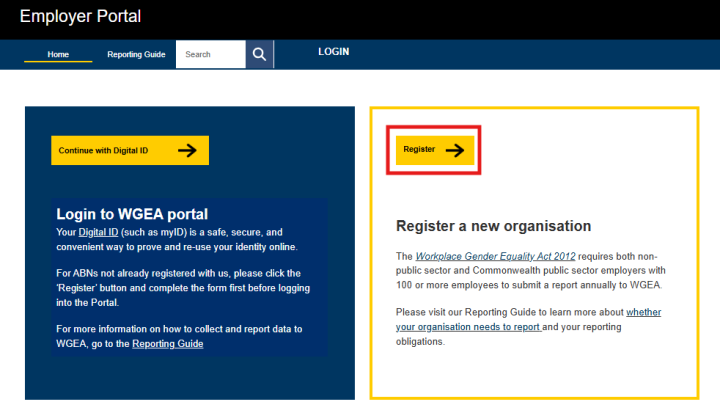
|
| 2 | Select your organisation type:
|
| 3 | If you are a Commonwealth public sector employer, select 'Yes' to the question 'Are you a public sector organisation?' |
| 4 | Complete the registration form with all of the details in Information required to register. |
| 5 | Review your entries. |
| 6 | Accept the declaration and submit the form. |
Once your registration has been completed correctly, a confirmation message will appear on your screen. You will also get a confirmation email with further information about your reporting obligations.
Registration deadlines
When you register determines when you lodge your first Report.
Registrations submitted before the start of each lodgement period (1 April to 31 May) will be enrolled to report in that year's program.
| Registration date | First report due |
|---|---|
| By 31 March | Between 1 April and 31 May in the same year |
| On or after 1 April | Between 1 April and 31 May the following year |
Information required to register
To register with WGEA, an employer must complete an online registration form. The registration form collects details about the organisation. If the organisation is part of a corporate group, it must also include information about all subsidiaries and related employing entities.
Before accessing the registration form, have the below information ready.
| Organisation details |
|
| Primary contact details | The primary reporting contact receives reporting notifications, updates and reminders, including reminders about reporting due dates and if they are at risk of being non-compliant. You must provide:
|
| CEO or head of organisation | The CEO (or equivalent) receives limited but important communications about Gender Equality Reporting. You must provide:
|
| Corporate groups – additional information required | If your organisation is part of a corporate group, you must also provide:
|
Australian Business Register integration
The Employer Portal has direct integration with the Australian Business Register (ABR), automatically populating from ABR records into the registration form:
- organisation legal name
- ANZSIC Code
- address.
Updating information after registration
- Changes to address or ANZSIC Code can be updated via the WGEA Employer Portal once your registration has been processed.
- For instructions about how to update this information, refer to:
- Changes to ABN and legal name must be updated through the ABR. Once your organisation’s legal name and/or ABN have been changed with the ABR, you must advise us by lodging a support request via the WGEA Employer Portal.
Next steps after registering
After you submit your registration application, a WGEA staff member will review and process the registration request.
| If we require further information to assess your status | We will attempt to contact the primary reporting contact via the email addresses listed on the registration form. | |
| If we do not require further information and your employer is deemed to be | A relevant employer | You will be enrolled in a Gender Equality Reporting program and receive a registration outcome email with further information and instructions to prepare for reporting. |
| Not a relevant employer | You will receive a registration outcome email with information about why you have not been registered to report. | |
Adding a subsidiary to a registered corporate group
If you need to change the structure of an already registered corporate group, such as adding an ABN (subsidiary), refer to Changes to an organisation's legal structure.