This guide provides step-by-step instructions to lodge your Gender Equality Report.
Once you have completed your reporting documents (Questionnaire, Workforce Management Statistics and Workplace Profile) and resolved any data anomalies, follow the steps in this guide to successfully lodge your CEO approved report.
- For further information about the reporting documents, refer to Lodging your Gender Equality Report.
- For step-by-step instructions to review and resolve data anomalies, refer to Resolving data anomalies portal overview page. Data anomalies must be resolved before you can lodge your report.
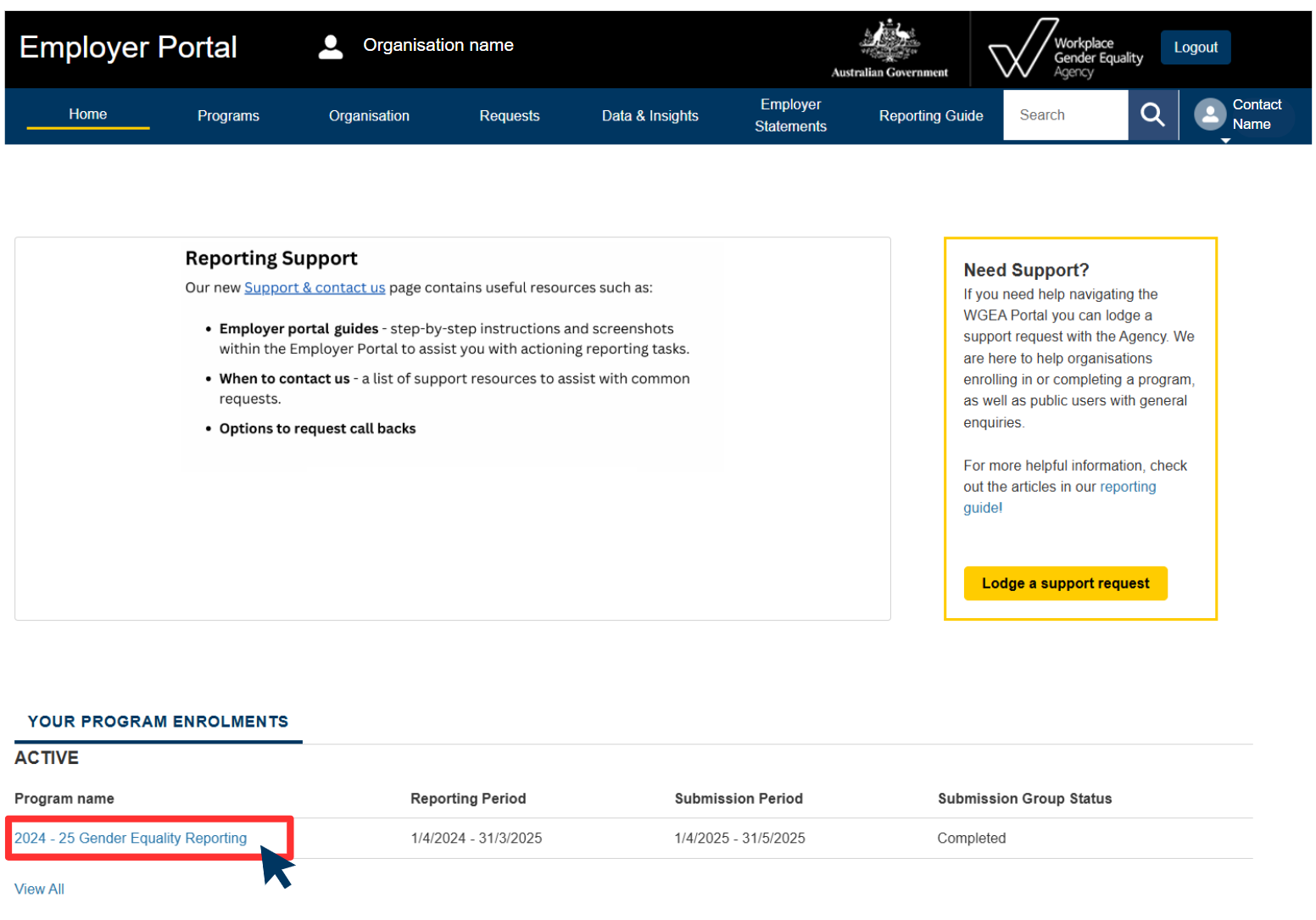
Step 1: Log into the Employer Portal and select your Gender Equality Reporting program.
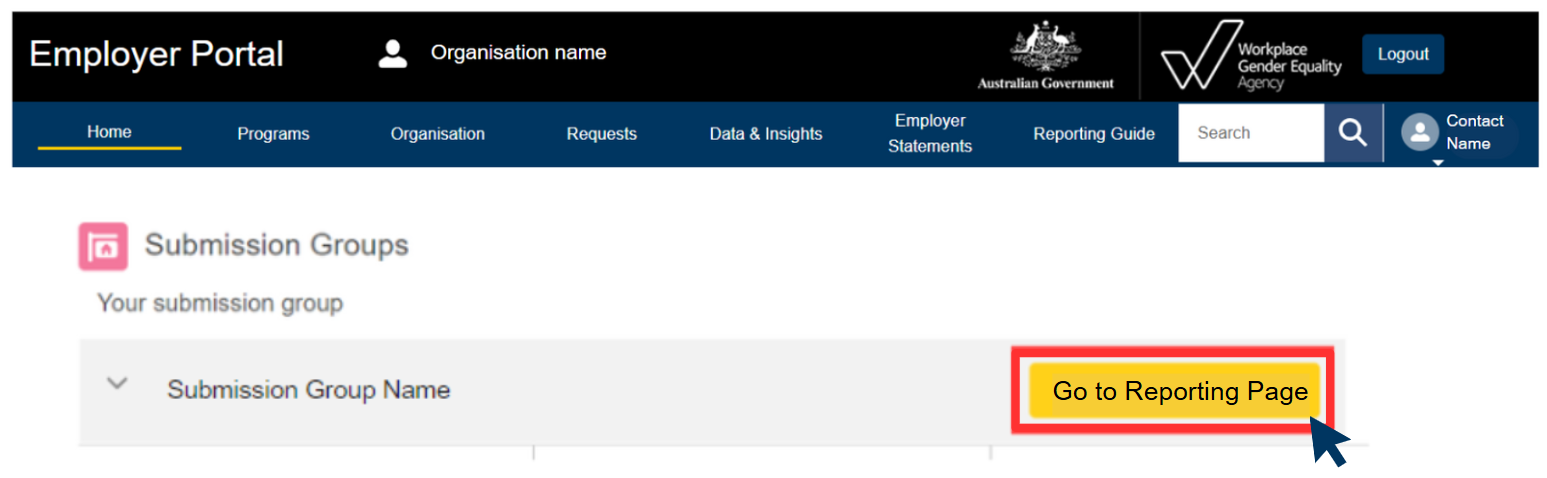
Note: If you are part of a corporate group, you may need to select 'Go to Reporting Page'.
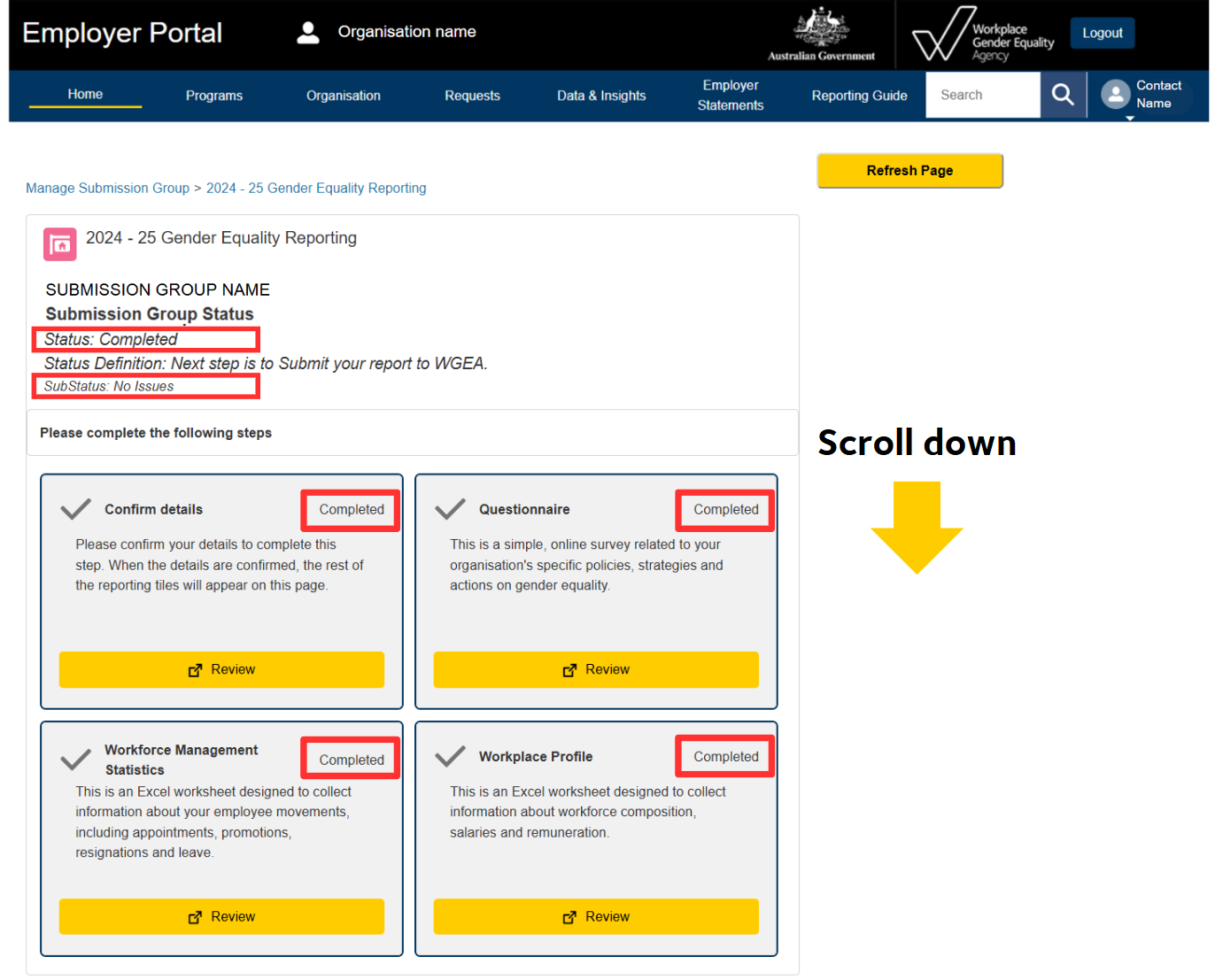
Step 2: Once your Submission Group Status is 'completed' with a sub status 'No Issues', you can proceed to generate your Public Reports for CEO (or equivalent) sign-off.
Important: If you have a Sub Status of 'Issues Found' - please see the Resolving data anomalies Employer Portal guide for help reviewing and resolving any outstanding data anomalies detected within your uploaded files. You must resolve data anomalies before continuing.
Step 3: Generate the below reports for CEO sign-off
- Public Report - Questionnaire - Required for CEO sign-off
- Public Report - Employee data tables - Required for CEO sign-off
- Executive summary - Is not required to lodge your report but must be shared with your organisation's governing body as soon as reasonably practical. See Executive Summary for more information.
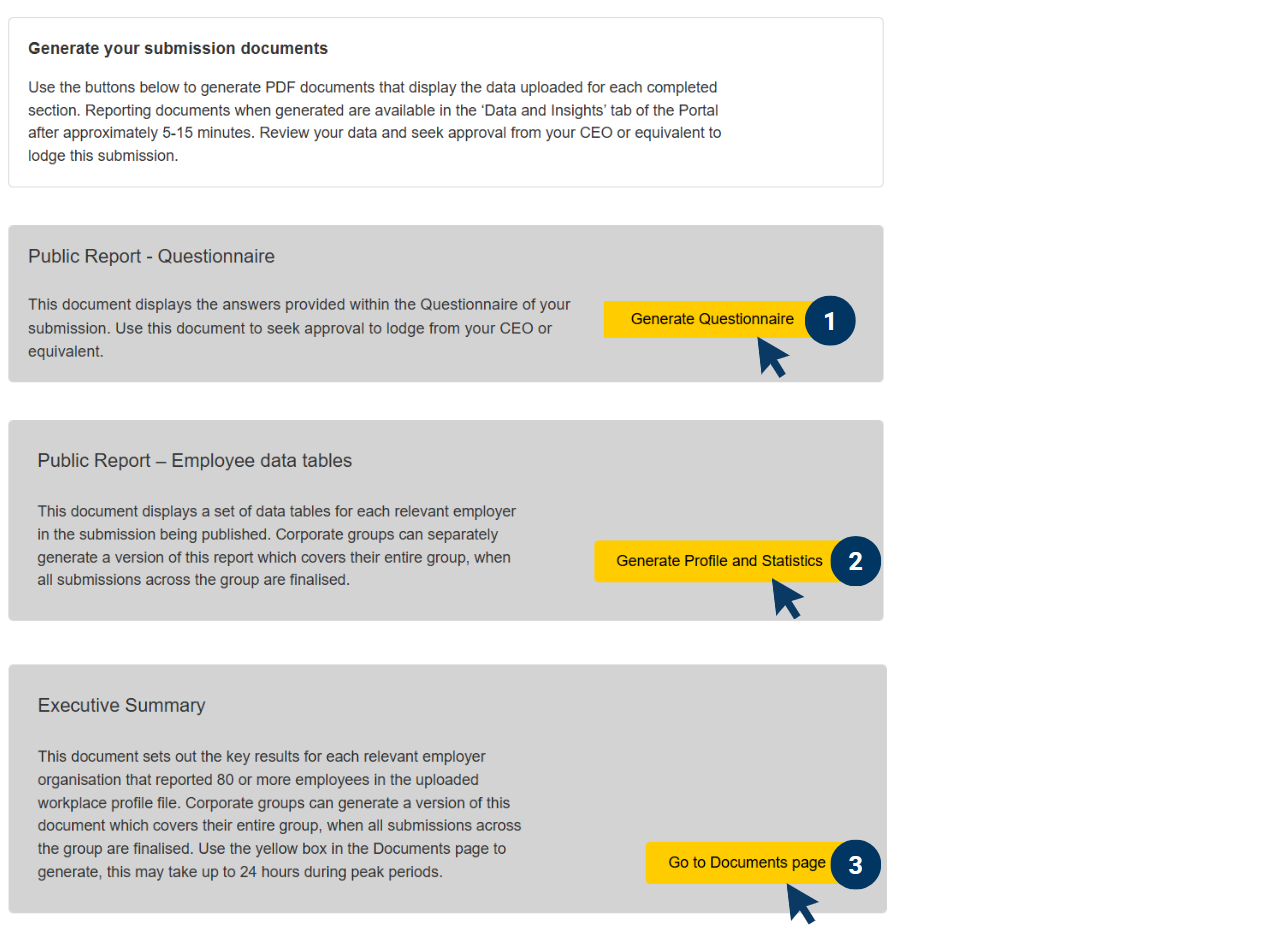
Step 4: Once you have received CEO approval (sign-off), you must complete the declarations and consents section and select 'Submit'.
For an internal record of your CEO approval, you can download our submission approval form.
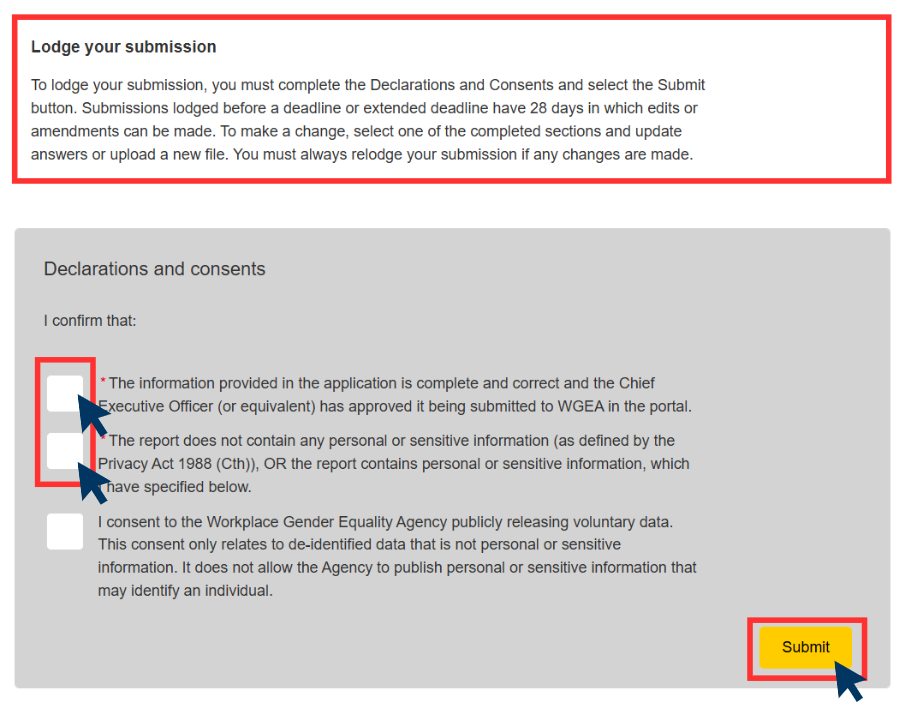
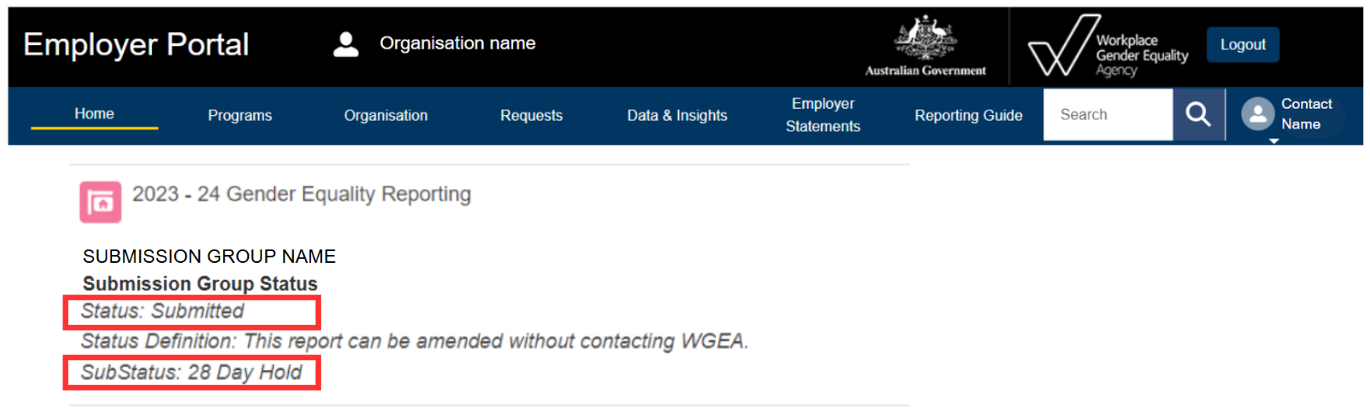
Step 5: Once you have successfully lodged your Gender Equality Report, your Submission Group status will change to 'Submitted' with a sub status of '28 Day Hold'.
You will also receive an email confirming your report has been lodged successful, which will include next steps after lodgement.
Step 6: Please visit 'Next steps - after lodgement' for information on:
- your 28-day review period
- Notification and Access requirements.
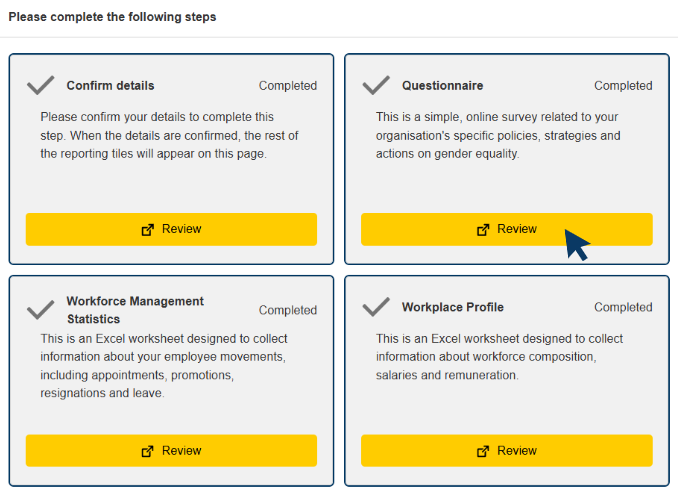
Note: If you select 'Review' and make a change within any of the below sections, your Submission Group status will revert to 'In Progress'.
You will be required to follow the lodgement process again, as per the steps in this guide, for your edits to be saved and applied to your reporting documents.