
To reduce the reporting burden, WGEA collaborates with the Australian Public Service Commission (APSC) to share workforce data already collected under the Public Service Act 1999 . Eligible employers can opt in to use the APSC data transfer when preparing their report.
APSC data transfer is drawn from the Australian Public Service Employment Database (APSED).
- APSED is maintained by the Australian Public Service Commission, and the data is supplied to APSED from the HR systems of APS agencies.
- The data transfer provides data covering the reporting period over the calendar year. For example, the 2025 program relates to 1 January 2024 – 31 December 2024.
Opting in to APSC data transfer
Organisations that report data to APSED can opt in during their registration for WGEA reporting.
- For hybrid organisations (with APS and non-APS employees), some data will be supplied, and additional reporting requirements apply.
- If no changes are submitted, the previous year’s selection will automatically carry over for each reporting program.
If you are unsure whether your organisation has opted in, or wish to update your selection, contact support at publicsectorsupport@wgea.gov.au.
APS employers
Employers with only APS staff
What does the data transfer cover?
The data transferred for full-time and part-time employees includes:
- workforce composition and remuneration for the Workplace Profile section, and
- employee movements (promotions, resignations and appointments) for the Workforce Management Statistics section
What doesn’t the data transfer cover?
These employers will also be required to supply additional data directly to WGEA:
- Composition and remuneration for casual employees and the CEO or agency/department head or equivalent.
- Uptake of parental leave (primary/secondary carers) and any resignations while on parental leave
- Your organisation’s policies, strategies, and actions on gender equality.
What do you need to complete?
- Workforce Management Statistics – complete and upload the template for only questions 6-8 for your entire workforce.
- Workplace Profile – complete and upload the template for your CEO or agency/department head or equivalent, casual employees and any additional employees not included in APSED.
- Questionnaire – all mandatory questions
Hybrid employers
Employers with both APS and non-APS staff
What does the data transfer cover?
The data transferred for the full-time and part-time APS employees includes:
- APS workforce composition and remuneration for the Workplace Profile section
What doesn’t the data transfer cover?
These employers will also be required to supply additional data directly to WGEA:
- Composition and remuneration for any APS casual employees and the CEO or agency/department head or equivalent.
- Composition and remuneration for all non-APS employees.
- Uptake of parental leave (primary/secondary carers) and any resignations while on parental leave
- Your organisation’s policies, strategies, and actions on gender equality.
What do you need to complete?
- Workforce Management Statistics – complete and upload the template for all questions 1-8 for your entire workforce.
- Workplace Profile – complete and upload the template including:
- Your CEO or agency/department head or equivalent
- Any casual APS employees
- Any additional APS employees not included in APSED.
- All non-APS employees
- Questionnaire – all mandatory questions
Employers with no APSC data transfer
Employers who opted out or are ineligible
All sections of the report must be completed manually as no data will be supplied to cover mandatory sections of the report.
What do you need to complete?
- Workforce Management Statistics – complete and upload the template for all questions 1-8 for your entire workforce.
- Workplace Profile – complete and upload the template including your entire workforce and your CEO or agency/department head or equivalent.
- Questionnaire – all mandatory questions
How to access the APSC data
The data provided from the APSC is populated directly into the Employee Data Tables document. This document includes an overview of the data from your WMS and WPP sections. To generate the report:
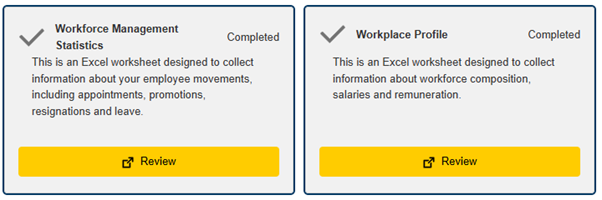
- Make sure both the WMS and WPP sections are “Completed” with no outstanding data anomalies on your files, as below.
- All organisations will need to upload a file for both the WMS and WPP section.
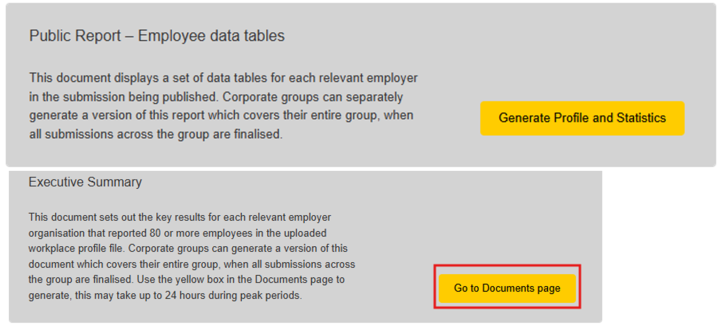
Once these steps are completed, you can generate the Employee Data Tables document by choosing the ‘Generate Profile and Statistics’ button.
Document generation time
- These documents may take time to populate in the employer portal.
- The documents usually are ready within the hour, although during high traffic periods in the portal this may take up to 24 hours.
Document download
- Click the ‘Go to documents page’ button under the generation button.
- Use the ‘Documents’ tab in the top menu of the portal.
Frequently asked questions
Why are there discrepancies in manager counts in the Employee Data Tables?
Manager Occupations in APSC Data Transfers
For APS employers using APSC data transfer, discrepancies in manager counts within the Employee Data Tables report may occur because occupational categories are mapped from APS job families, while manager categories are mapped from APS levels.
The data tables reflect the occupational and manager categories:
- Table 1 categorises employees by APS job families (occupational categories).
- Table 2 categorises employees by APS levels (manager categories).
When setting targets, employers should use Table 2 to assess their managerial workforce.
Can we review the confidential data covering the remuneration in the Profile section?
In previous years, organisations were provided a confidential Workplace profile report, which included a breakdown of the data covering the Workplace profile section including the APSC data. Due to the reporting changes this will no longer generate into your list of documents, however this can be provided to organisations on request from an authorised reporting contact.
Please reach out to our support at publicsectorsupport@wgea.gov.au to request a copy of your confidential Workplace Profile report.
How do we review the raw data provided by the APSC?
WGEA does not have access to the raw data provided as part of the APSC data transfer. This is provided directly to our data warehouse and populated into the reports. If you wish to interrogate the data, we can provide the confidential WPP report (see above). If you require more specific details, you must review your data provided to the APSED for the relevant year, or reach out to APSC directly to request this data.
We have identified an anomaly with the data provided in the APSED report that has been included in the APSC data transfer. How do we edit and update part of the APSC data?
The data provided to WGEA is populated directly into the reports, and bypasses our input systems. Therefore, we are unable to facilitate any changes to any of the data included in your APSC data transfer.
If required, you can contact us to amend the selection to opt out of the APSC data transfer, and provide all data manually in your report. This allows you control over all lodged data to ensure the accuracy of your report.
We have opted in for the APSC data transfer. What snapshot date should we choose for our other employees on the Workplace Profile?
We recommend using the snapshot date of 31 December 2024, which will align with the data provided in the APSC data transfer. If you select the snapshot date of 31 December 2024, you will include all remuneration for any employees employed on this date for the previous 12 months.
Please refer to Workplace Profile for more information on completing the Workplace Profile.
Last year the APSC data transfer covered the Workplace Profile section and we did not need to upload a file. Why do we need to upload a file this year?
All Commonwealth public sector employers must upload a Workplace Profile (WPP), even those using APSC data transfer for this year's report. Due to an amendment to our legislation coming into effect from 2024, it is now mandatory for employers to report on additional employee types which are not covered in the APSED data.
All employers must include:
- CEOs - base salary and total remuneration.
- Casual employees - annualised salary data (yearly pay).
- Any additional employees not included in the APSED data.
Please refer to Reporting changes for further information.